


If you’re ever working on electrical tasks at home, you absolutely need to know how to use a non contact voltage tester. It’s a super easy tool that keeps you safe by letting you check for live wires without actually touching them.
I remember the first time I used one – it was a game-changer! This small tool gives you a quick heads-up about any dangerous voltage lurking around.
A Quick Look
What is a Non Contact Voltage Tester?
A non contact voltage tester can detect live wires from as low as 50 volts and up to 1000 volts, depending on the model. That’s perfect for most home projects since standard home wiring usually carries 120 to 240 volts.
NOCO Boost Plus GB40
⭐ 4.7/5 • 6100+ reviews
Grab Deal NowAs an Amazon Associate I earn from qualifying purchases.
This tester lights up or beeps when it senses electrical current nearby, so you know right away if something is live.
One thing I’ve learned is to always test the tool before using it. I’ll press the tip into a known live outlet to make sure it’s working. It only takes a second, but it gives me peace of mind.
Also, the tester is super handy because it can check both outlets and wires, and it works even if the wire is wrapped in plastic insulation. Just make sure it’s not in metal conduit or sheathing, as it can’t test through those.


Quick Fix
To use a non-contact voltage tester, first, test the device on a known live outlet to ensure it’s functioning. Then, turn off the power to the area you’re working on. Bring the tester close to each wire or outlet; if it detects voltage, it will light up or beep. Re-test after completing your work to ensure no live wires remain before proceeding.
When and Why You Need a Non-Contact Voltage Tester
This tester is designed to detect AC voltage from as low as 50 volts up to 1000 volts, which covers most household electrical systems. It’s especially handy when troubleshooting electrical problems or installing new devices.
For simple jobs like testing outlets, I rely on it every time to make sure the power is off. It’s faster and safer than other methods. It also works well for checking light fixtures and power switches before touching anything.
Key Features of a High-Quality Non-Contact Voltage Tester
When learning how to use a non contact voltage tester, it’s important to choose the right one. Here are some key features you should look for in a high-quality tester:
- Voltage Range
A good tester should detect 50 volts to 1000 volts, which covers most home and commercial electrical systems. This makes it suitable for detecting everything from basic household wiring to more powerful industrial circuits.
- Visual and Audible Indicators
A- Visual indicators (usually LED lights) let you see when voltage is detected. This is especially helpful in low-light areas like attics or basements.
B- Audible indicators (beeping sounds) make it easy to confirm a live wire without constantly looking at the tester. Some models even have vibration feedback.
- Safety Certifications
Look for testers with CAT IV 1000V certification. This certification means the tester is safe for high-voltage environments, ensuring maximum protection when you’re working with serious electrical setups.
- Battery Life and Easy Testing
Before each use, you should test the tester on a known live source. A model with long battery life ensures that you won’t run into problems when you need it most. Some testers even have low-battery warnings so you never get caught off guard.
- Compact and Durable Design
It’s important that your tester is small enough to fit in tight spaces, like behind outlets or light fixtures. Durable construction is also key since you’ll likely be carrying it in your tool bag, which can lead to wear and tear.
- Detection Through Insulation
High-quality testers can detect voltage even through plastic insulation, allowing you to test wires without stripping them. However, they can’t detect through metal conduit or armored cables, so be sure to double-check those areas.


Step-by-Step Guide: How to Use a Non-Contact Voltage Tester
If you’re wondering how to use a non voltage tester properly, here’s an easy step-by-step guide based on my own experience. I’ve found this tool super helpful for checking everything from outlets to wires safely.
Step 1: Test the Tester
- Before you begin, make sure the tester is working. Place the tip into a known live outlet or against a powered device.
- If the tester beeps or lights up, you’re good to go. If not, check the batteries.
Step 2: Turn Off the Power
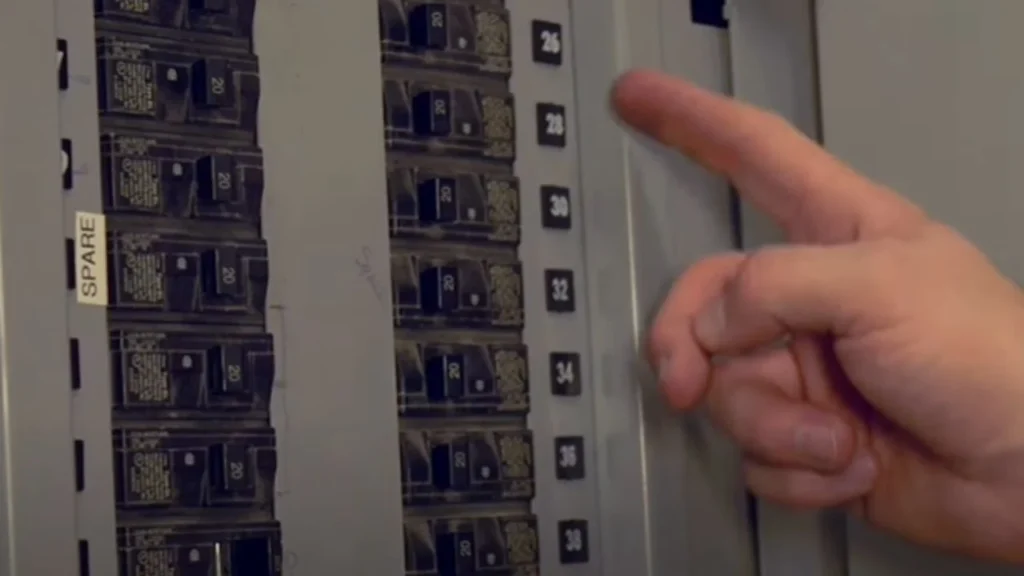
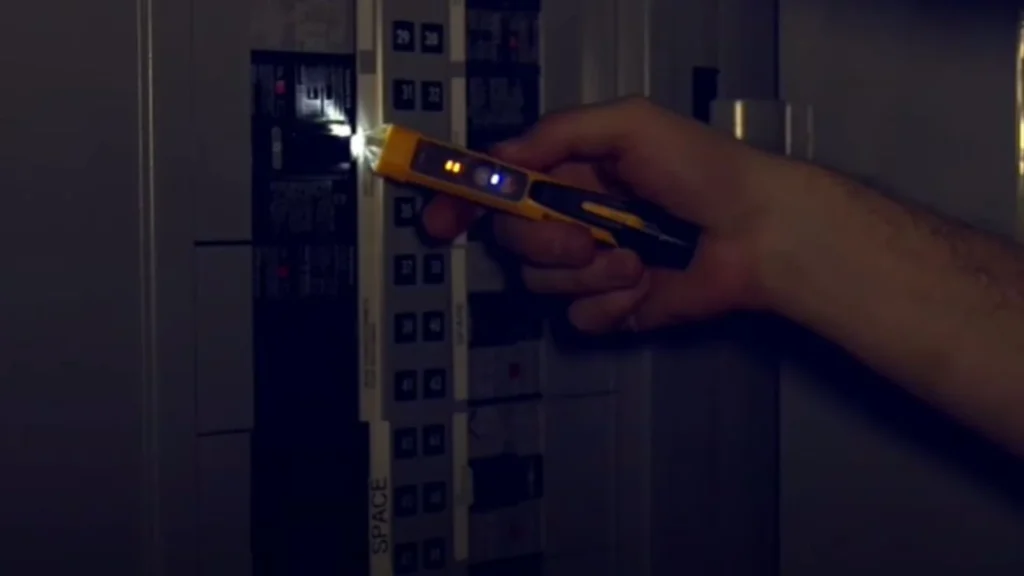
- Head to your main electrical panel and turn off the circuit breaker for the area you’re working on. This is crucial to avoid accidents.
- Label your breakers if they aren’t already marked – it’ll save you time next time.
Step 3: Check the Wires
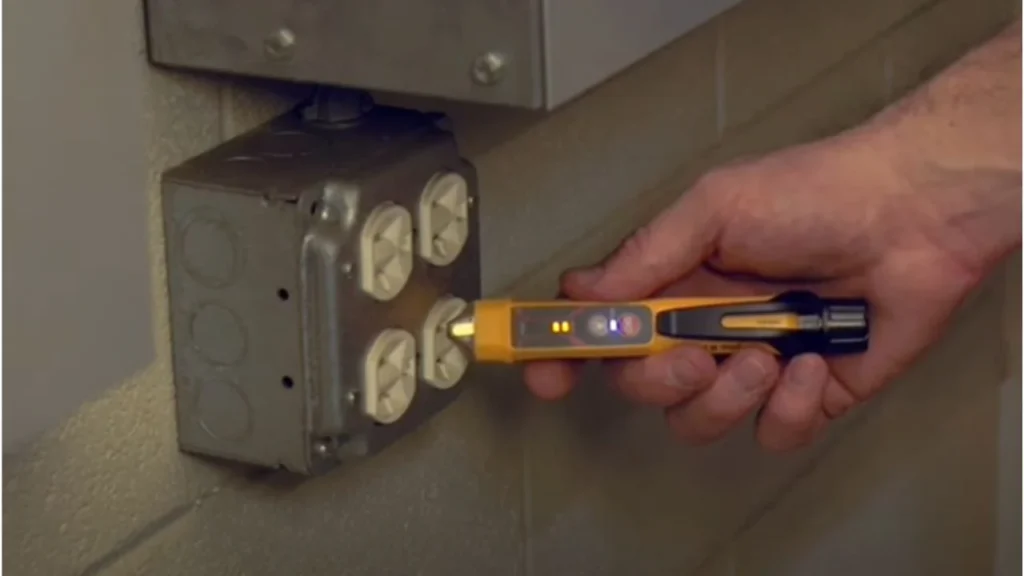
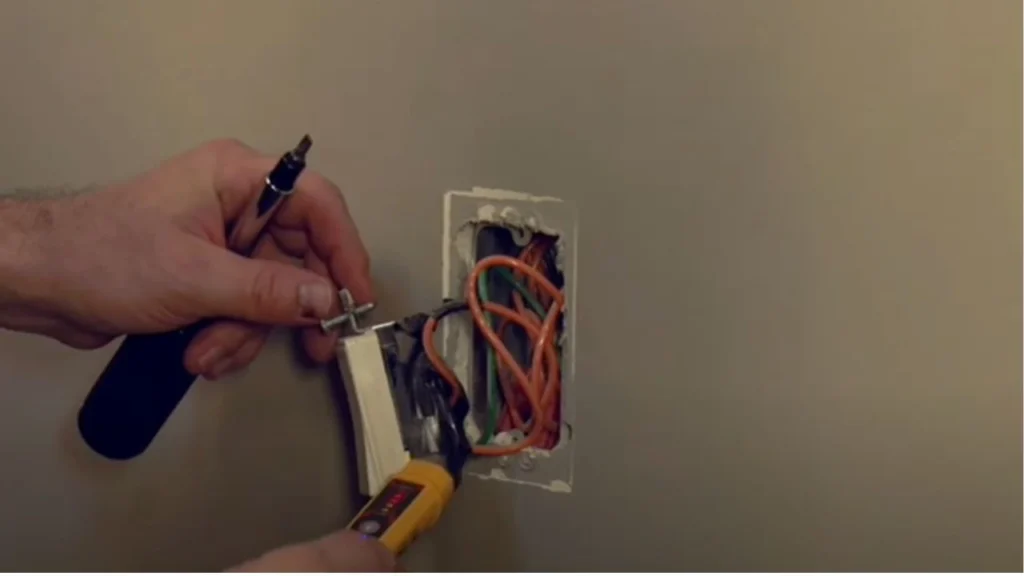
- After removing the outlet or switch from the wall, carefully bring the tip of the tester close to each wire.
- It should beep or light up if any of the wires are live.
- Test all exposed wires, including those tucked behind the box. In my experience, you don’t want to miss any hidden surprises!
Step 4: Test Light Fixtures
- Turn off the power at the breaker again.
- Remove the light bulb and place the tester’s tip onto the socket’s center contact.
- If your fixture has a three-way switch, test with both switches in different positions.
Step 5: Re-Test Before Final Touches
- Once you’ve confirmed there’s no voltage, you can start working safely.
- Always recheck the wires one last time before handling them.
By following these steps, you can work safely without risk of danger. These steps help you to know usage of non contact electrical testers.
Safe Electrical Testing Methods| Non-Contact Voltage Tester
When learning how to use an electric voltage tester, following safety rules is essential. Over time, I’ve gathered some practical guidelines that can help you avoid electrical hazards and work confidently.
1. Always Verify Your Tester Before Use
Test your device on a known live wire or outlet to ensure it’s functioning properly. This simple step prevents potential mishaps and ensures the tester is ready for use.
2. Avoid Testing Through Metal Conduits
An electric voltage tester cannot detect voltage through metal conduits or armored cables. In these cases, you will need to access the wires directly or use another method for checking the voltage.
3. Test Every Wire
Don’t assume a wire is safe just because the breaker is off. Always check every wire in the box with the tester. Hidden live wires can pose a serious danger, so it’s better to be thorough.
4. Use Insulated Tools
Even though the tester helps detect voltage, it’s still important to use insulated tools when handling wires. This adds an extra layer of protection in case something goes wrong.
5. Test Twice: Before and After
After completing your work, test the wires again before turning the power back on. Re-testing has saved me from unexpected issues more than once, so it’s always good practice to double-check.
When to Call a Professional
While learning how to use a non-contact voltage tester is great for small home projects, there are times when it’s best to call a licensed electrician. If you’re dealing with high-voltage systems, complicated wiring setups, or if your tester indicates something unusual (like voltage in a wire that should be off), don’t hesitate to get expert help.
Conclusion
By now, you should feel more confident in how to use a non-contact voltage tester. Whether you’re checking outlets, light fixtures, or wires, this tool will make your electrical work safer and easier. Just remember to follow all the safety tips, always double-check your tester, and never rush through any steps.
FAQ’s
- Can I use a non-contact voltage tester for all wires?
Most testers can detect AC voltage through plastic insulation, but they won’t work through metal conduit. Always test exposed wires directly if you suspect there’s live voltage inside. - What’s the lowest voltage a tester can detect?
Many testers can detect as low as 50 volts, which covers typical home electricity. However, some advanced models can detect lower voltages for more specialized tasks. - How do I know my tester is working?
Before every use, test your device on a known live outlet to ensure it’s functioning properly. If it doesn’t light up or beep, check the batteries or consider replacing the tester.