


Have you ever looked at your multimeter and wondered, what does 2nF mean on multimeter? You’re not alone! This particular setting can be confusing for beginners, but understanding what it means is key to getting accurate capacitance measurements.
Whether you’re measuring a capacitor in a circuit or diagnosing an electrical problem, knowing how to use the 2nF setting can help you make sense of those tiny capacitance values.
A Quick Look
In simple terms, 2nF stands for 2 nanofarads, which is a unit of capacitance. If you’re dealing with small capacitors in sensitive circuits, you’ll often need to measure values in the nanofarad (nF) range.

NOCO Boost Plus GB40
⭐ 4.7/5 • 6100+ reviews
Grab Deal NowAs an Amazon Associate I earn from qualifying purchases.
Multimeters typically have this setting to allow users to measure small capacitors with precision. In this blog, we’ll explain what 2nF is, when to use it, and how to effectively measure capacitance on your multimeter.
Quick Fix
If your multimeter shows 0 on the 2nF setting, start by ensuring the capacitor is fully discharged to prevent interference. Next, double-check your connections and make sure the capacitor is within the measurable range. If it’s too small, try switching to a lower capacitance range. If the capacitor is damaged, it may need replacement.
Understanding Capacitance: What Does 2nF Mean On Multimeter?
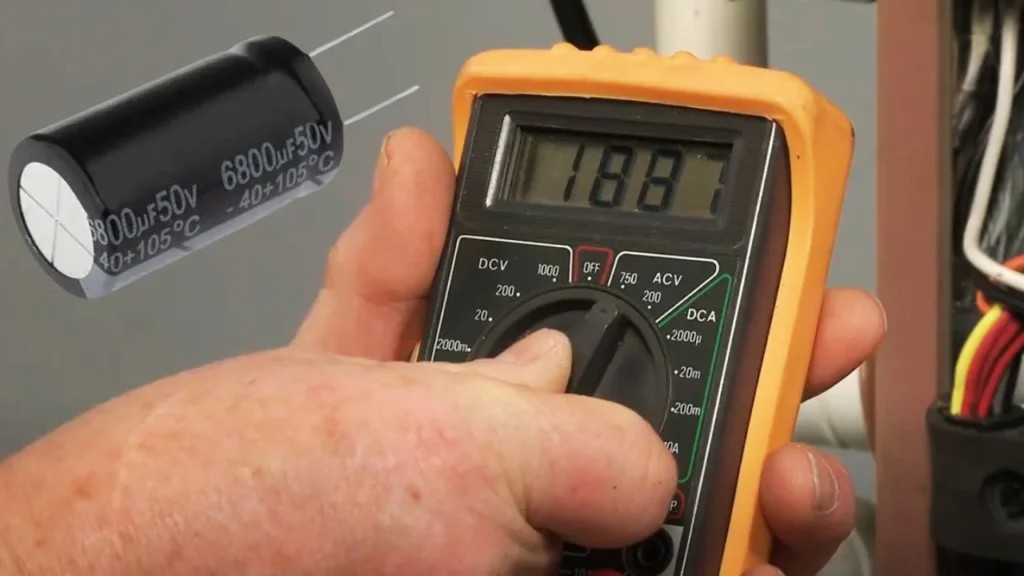
To really grasp what 2nF means on your multimeter, we first need to understand the concept of capacitance. Capacitance is the ability of a component, often a capacitor, to store electrical charge. It’s measured in farads (F), but farads are typically too large for everyday use in most circuits, which is why we use smaller units like nanofarads (nF).
Capacitance in Simple Terms
Imagine capacitance as a water tank. The tank’s size represents the capacitor’s ability to store electrical charge. A large tank (high capacitance) can store more water (electric charge), while a small tank (low capacitance) holds less water. In electronics, farads (F) are used to represent this capacity, but because most capacitors hold very small amounts of charge, the farad is divided into smaller units:
- 1 farad (F) = 1,000,000,000 nanofarads (nF)
- 1 nanofarad (nF) = 1 billionth of a farad
So, when your multimeter is set to 2nF, it’s measuring tiny capacitances in the range of 2 billionths of a farad. These small capacitance values are typically used in circuits that require precision, such as radio frequency (RF) circuits or other delicate electronics.
When and Why Would You Use the 2nF Setting on Your Multimeter?
Now that you understand the basics of capacitance, let’s talk about when and why you would use the 2nF setting on your multimeter.
1. Testing Small Capacitors
The 2nF setting is ideal when you’re working with small capacitors. Capacitors in this range are often found in electronic circuits that deal with high-frequency signals, filters, or signal processing. If you’re troubleshooting a circuit with small capacitors, the 2nF setting will allow you to measure them accurately.
Example:
You might be repairing a radio circuit or working on a signal filter in an amplifier. In such cases, you’re likely dealing with capacitors that store small amounts of charge, and the 2nF setting will let you see if these capacitors are functioning as expected.
2. Diagnosing Faulty Capacitors
Capacitors can degrade or fail over time. If you suspect a capacitor in your circuit has lost its ability to store charge, you can use the 2nF setting on your multimeter to check its capacitance. A failing capacitor will often show a capacitance value far below what it’s rated for.
Example:
Imagine you have a capacitor marked as 2nF, but when you test it, your multimeter shows a reading of 0.5nF. This indicates that the capacitor is failing and no longer holding the correct charge, meaning it needs to be replaced.
3. Precision Circuits
In circuits that require high precision, such as RF (radio frequency) circuits, even small changes in capacitance can significantly impact performance. Using the 2nF setting allows you to fine-tune your measurements, ensuring the capacitors are functioning correctly and not altering the circuit’s behavior.
Example:
In an RF circuit, a small capacitor may be responsible for adjusting the frequency of a signal. If the capacitor’s value is slightly off, it could cause signal distortion. By using the 2nF setting, you can measure these small capacitances accurately and make necessary adjustments to maintain circuit performance.



How to Use the 2nF Setting on Your Multimeter

Ready to measure capacitance? Let’s go through the steps to use the 2nF setting on your multimeter effectively. Whether you’re a beginner or a seasoned DIYer, these steps will guide you through the process of measuring capacitance correctly.
Step-by-Step Guide to Measuring Capacitance
1. Turn Your Multimeter to Capacitance Mode
First, make sure your multimeter is set to measure capacitance. Look for the capacitance symbol—it typically looks like a small capacitor (two parallel lines with a gap). Turn the dial to 2nF if it offers a specific capacitance range.

2. Discharge the Capacitor
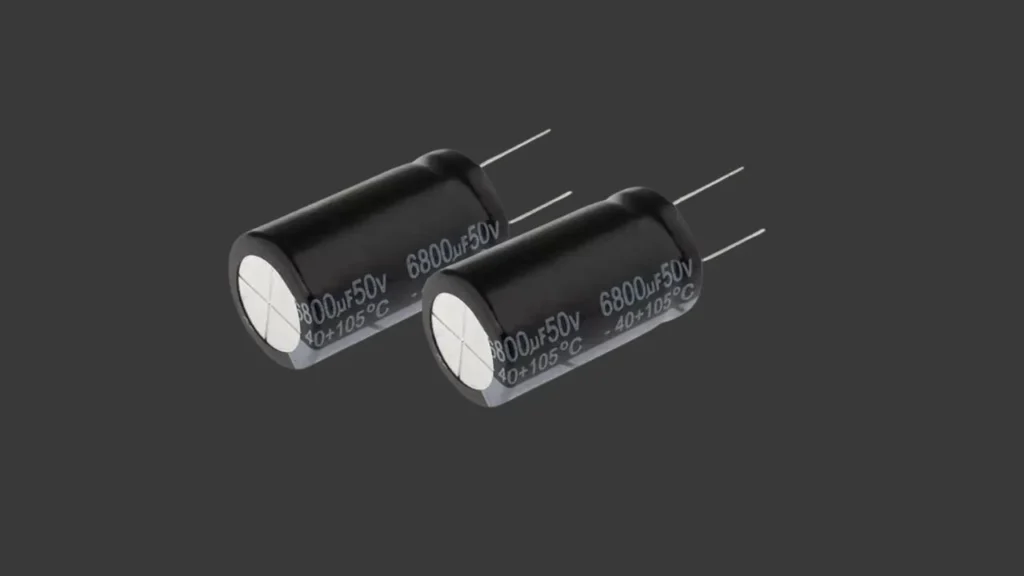
Before measuring, it’s crucial to discharge the capacitor. This ensures that any stored charge is released and doesn’t interfere with your reading. You can discharge a capacitor by shorting its leads with a metal object like a screwdriver. Be careful—large capacitors can hold a dangerous amount of charge.
3. Connect the Probes
Once the capacitor is discharged, connect your multimeter’s positive (red) and negative (black) probes to the capacitor’s terminals. Ensure that you are making solid contact to avoid inaccurate readings.

4. Read the Measurement
After the probes are connected, your multimeter will display the capacitance value. If the reading is close to 2nF, the capacitor is functioning properly. However, if the reading is significantly lower (or shows zero), the capacitor may be faulty.

Why Is My Multimeter Reading Zero on the 2nF Setting?
If you’re using the 2nF setting and your multimeter is displaying 0, don’t panic! This doesn’t necessarily mean your multimeter is broken. Here are a few reasons why this might happen:

1. Capacitor is Too Small
The capacitor’s capacitance could be below the measurable range of 2nF. For example, if you’re working with a very tiny capacitor that has a value of 1nF or less, your multimeter may not be able to detect it at this setting.
2. Capacitor is Damaged
If the capacitor is faulty or damaged, it might not be able to hold any charge, resulting in a reading of zero. In this case, the capacitor should be replaced.
3. Multimeter Limitations
Some multimeters are not designed to measure extremely low capacitances with high precision. If you’re using an entry-level multimeter, you might find that it struggles to detect capacitance below a certain threshold. In this case, switching to a lower range or using a more precise tool might be necessary.
Quick Troubleshooting for the 2nF Setting
If you’re experiencing issues with the 2nF setting, here are some quick troubleshooting tips to help you get accurate readings:
- Check Your Multimeter’s Calibration
If your multimeter is reading incorrectly, it might be due to poor calibration. Ensure your multimeter is properly calibrated before taking any measurements. - Double-Check Your Connections
Loose connections can lead to inaccurate capacitance readings. Ensure that the multimeter probes are making firm contact with the capacitor’s terminals. - Discharge the Capacitor
Always discharge the capacitor before measuring. Failing to do so can result in inaccurate readings or even damage to your multimeter. - Try a Different Multimeter
If you’re still unsure whether the reading is correct, try using another multimeter. This will help confirm if the issue lies with your device or the component you’re testing.
5 Quick Tips for Using the 2nF Setting on Your Multimeter
- Always Discharge First: Before testing, discharge the capacitor to avoid damaging your multimeter.
- Use the Right Probes: Ensure your multimeter’s positive and negative probes are correctly connected to the capacitor terminals for an accurate reading.
- Check the Capacitor’s Rating: Use the 2nF setting for capacitors rated between 1-10nF. If you’re measuring larger capacitors, switch to a higher range.
- Watch for Zero Readings: If the multimeter reads zero, it might mean the capacitor is too small or damaged.
- Test in a Safe Environment: Ensure you’re working in a safe, dry environment to avoid interference in your readings.
Final Thoughts
Knowing what 2nF mean on multimeter can help you make accurate measurements when dealing with small capacitors in delicate circuits. By understanding capacitance and knowing when and how to use the 2nF setting, you can troubleshoot electronic issues with precision.
Always remember to discharge capacitors before testing and follow the right procedures for accurate readings.
Now that you’ve mastered the 2nF setting, you can confidently measure small capacitors and diagnose issues in precision circuits with ease!
FAQ’s
1. What does 2nF mean on a multimeter?
2nF stands for 2 nanofarads, which is a unit of capacitance. When set to 2nF, your multimeter measures capacitors that store very small amounts of electrical charge.
2. Why does my multimeter read zero on the 2nF setting?
If your multimeter reads zero on the 2nF setting, it could be because the capacitor is too small, damaged, or your multimeter isn’t sensitive enough to measure such low values.
3. How do I use the 2nF setting properly?
To use the 2nF setting, first discharge the capacitor, then connect the multimeter’s probes to the capacitor terminals, and read the value on the screen. Make sure the capacitor is within the 1-10nF range for accurate readings.
4. Can I measure larger capacitors with the 2nF setting?
No, for larger capacitors, switch to a higher range on your multimeter, such as 20nF or 200nF, to avoid incorrect readings.
5. Why is capacitance measured in nanofarads?
Farads are too large for most electronic circuits, so smaller units like nanofarads (nF) or microfarads (μF) are used to measure the capacitance in everyday electronic components.