


Have you ever connected your multimeter to a circuit and wondered, why is my multimeter reading 28 volts when you weren’t expecting that number? You’re not alone! Many people face this puzzling reading, and it can be a bit unsettling if you’re not sure what’s going on.
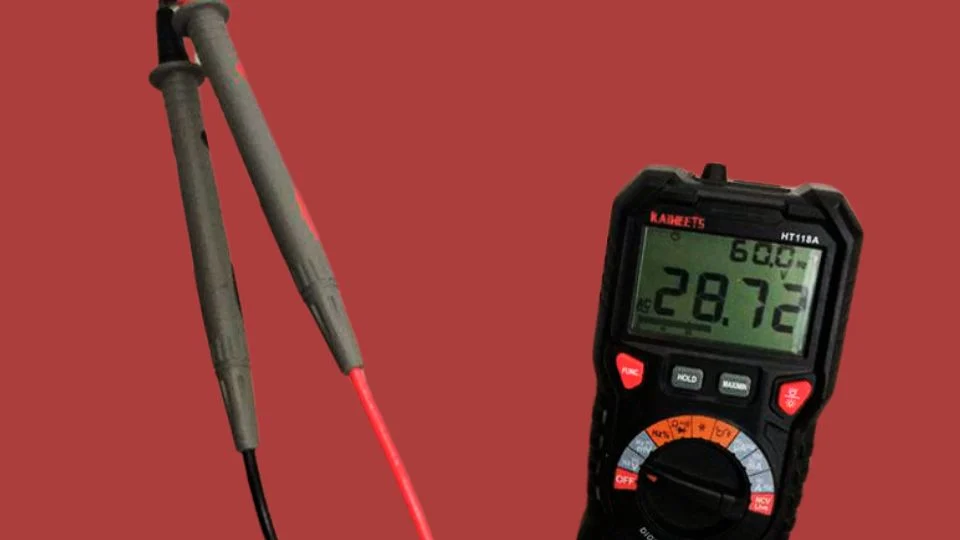
Let’s cut right to the chase—seeing a reading of 28 volts on your multimeter, especially when you weren’t expecting it, is usually the result of one of the following:
A Quick Look
- Phantom Voltage (a ghost reading that doesn’t represent real current)
- Capacitive Coupling (interference from nearby wires)
- Loose or damaged wiring (leading to odd readings)
- Incorrect multimeter settings (something simple but common!)
Now, let’s explore these causes and figure out how you can troubleshoot the issue like a pro.
NOCO Boost Plus GB40
⭐ 4.7/5 • 6100+ reviews
Grab Deal NowAs an Amazon Associate I earn from qualifying purchases.
Quick Fix
To quickly fix your multimeter reading 28 volts, switch your multimeter to low impedance mode to filter out phantom voltage. Double-check your multimeter settings to ensure you’re on the correct range (AC or DC).
Inspect for any loose or damaged wiring in the circuit and secure connections if necessary. If the issue persists, test with an analog multimeter for accuracy.
What’s Causing Your Multimeter to Read 28 Volts?
When you see 28 volts on your multimeter and it doesn’t make sense, the first thing to ask yourself is: “What am I measuring?” If it’s a low-voltage circuit but the number seems high, or if it’s a dead circuit, then something is off.
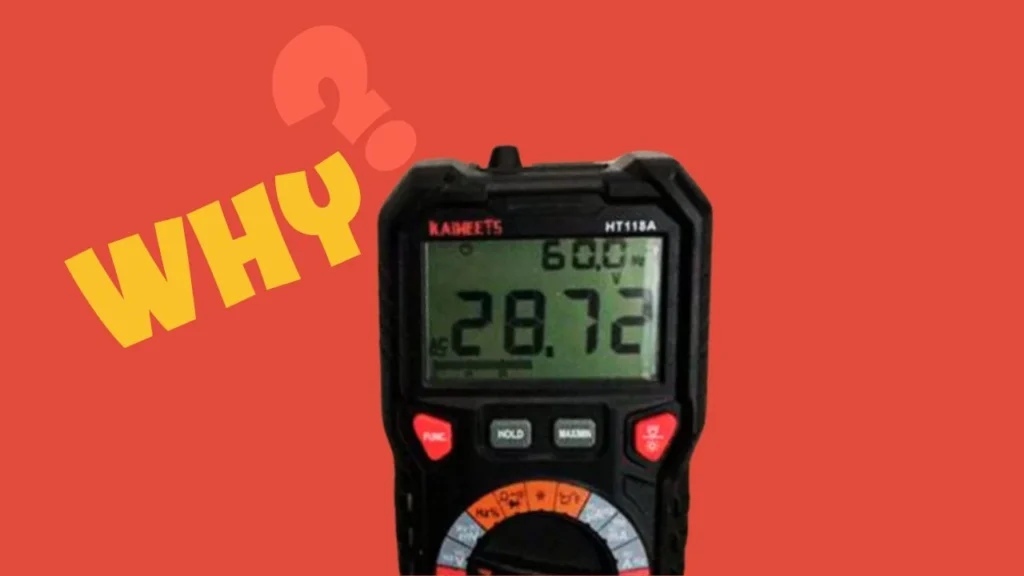
Here are the most common reasons why your multimeter might be showing 28 volts:
1. Phantom Voltage
Ever heard of phantom voltage? It’s one of the most common reasons for unexpected voltage readings. Phantom voltage, sometimes called ghost voltage, happens when wires pick up stray electrical fields from nearby live wires. This makes your multimeter show voltage, even when the circuit isn’t energized.

- Phantom voltage can range between 10 and 50 volts.
- You’ll notice it often when using a digital multimeter, especially in high impedance settings.
Here’s a quick tip: Use a low-impedance mode to avoid phantom voltage. This will help filter out those stray electrical fields and give you a more accurate reading.
2. Capacitive Coupling
Capacitive coupling can occur when electrical signals “jump” between adjacent wires. This means that even if a wire isn’t directly connected to a power source, it can still pick up a small voltage from the environment. If you see 28 volts on your multimeter and it’s not adding up, consider if there are nearby wires or circuits that could be creating interference.

3. Loose or Damaged Wiring
Sometimes, the issue is with the wiring itself. Loose or damaged wires can cause unusual readings like 28 volts. A damaged neutral wire, for example, could cause your multimeter to display a voltage in a seemingly “dead” circuit.
- Check for loose or frayed wires.
- Look out for poor connections that could cause inconsistent voltage readings.

4. Incorrect Multimeter Settings
This might sound simple, but are you sure you’ve set your multimeter correctly? Using the wrong settings is a common mistake that leads to inaccurate readings. If your meter is set to the wrong mode—like measuring DC voltage instead of AC voltage—you might end up with a reading like 28 volts, even though it’s not actually what’s present in the circuit.
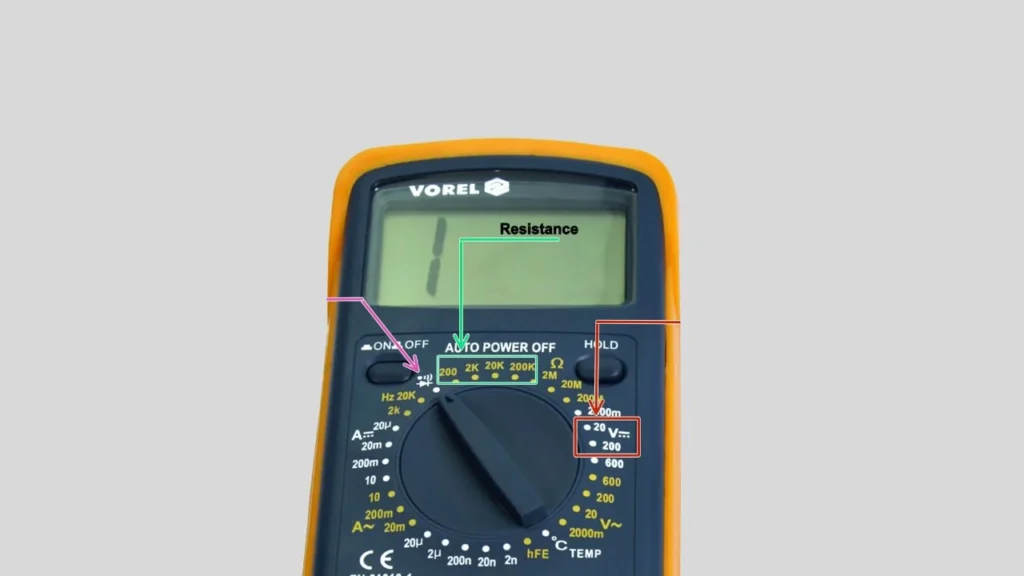
- Make sure you’re measuring the correct voltage type: AC or DC.
- Choose the right voltage range for your circuit.
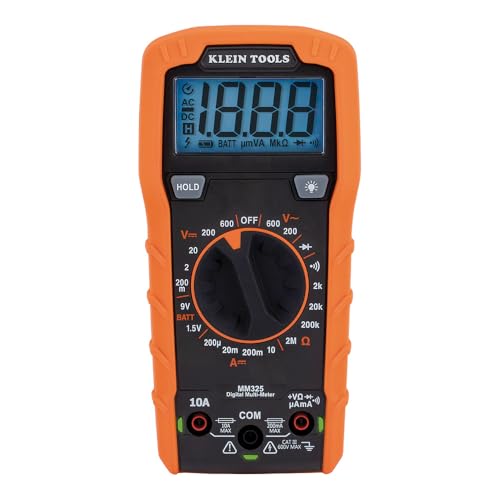

Troubleshooting: What Should You Do If Your Multimeter Reads 28 Volts?
If your multimeter is reading 28 volts and you weren’t expecting it, here’s how to troubleshoot the issue step-by-step. Follow these actions to pinpoint the problem and resolve it quickly:
1. Double-Check the Multimeter Settings
Before jumping to conclusions, always check your settings. If your multimeter is on the wrong setting, that might be why you’re getting the strange 28-volt reading.
- Set the multimeter to the correct range—AC for household circuits and DC for batteries and other low-voltage systems.
- If your multimeter has a low impedance mode, enable it to help avoid phantom voltage.
2. Inspect the Circuit for Loose Connections
Loose or damaged wiring is another common culprit. Walk through the circuit and make sure everything is properly connected. Even small disconnections can give you strange voltage readings.
- Tighten any loose screws or connections.
- Look for frayed wires and damaged insulation that could interfere with the reading.
3. Test with a Different Multimeter
If you suspect your multimeter may be giving you an incorrect reading, try testing the circuit with another meter. This will help you verify whether your meter is faulty or if there really is a 28-volt issue.
- Use an analog multimeter for comparison, as these are less sensitive to phantom voltage.
- If both meters give the same reading, it’s time to look deeper into the circuit.
4. Check for Phantom Voltage
If none of the above steps have worked, you might be dealing with phantom voltage. This occurs when inactive wires pick up stray electrical fields from nearby wires. If this is the case, your multimeter is measuring something that’s not dangerous or “real” voltage.
- Switch to a low impedance mode to filter out phantom voltages.
- You can also try using a solenoid tester instead of a digital multimeter, as they are not sensitive to phantom voltages.
Fixing the Issue: How to Get Rid of That 28-Volt Reading
Once you’ve identified the source of your unexpected 28-volt reading, it’s time to fix the problem. Here are the most effective solutions:
1. Eliminate Phantom Voltage
If phantom voltage is the issue, here’s what you can do:
- Use a low impedance meter or enable low-Z mode on your multimeter if it has one.
- Test with a solenoid voltage tester. These are less likely to pick up phantom voltages and will give you a clearer reading.
2. Repair Damaged Wiring
If damaged wiring or loose connections are causing your 28-volt issue, fix them as soon as possible:
- Replace any frayed wires and damaged insulation.
- Tighten connections that might be causing the voltage discrepancy.
- If you’re working with household circuits, make sure all wires are properly grounded.
3. Use the Correct Settings on Your Multimeter
This might sound basic, but the wrong settings on your multimeter can easily give you an unexpected 28-volt reading:
- Ensure your multimeter is set to the correct voltage range (AC or DC).
- If testing a circuit with high voltage, make sure to choose a range that can measure it safely (e.g., 200V AC for household circuits).
5 Quick Tips for Troubleshooting a 28-Volt Multimeter Reading
- Use Low Impedance Mode: Switch your multimeter to low impedance mode if it has one. This will help filter out phantom voltage, giving you a more accurate reading.
- Check for Loose Connections: Inspect the circuit for any loose or frayed wires. Even a slightly loose connection can result in odd readings, like 28 volts.
- Verify Multimeter Settings: Ensure your multimeter is set to the correct voltage type—AC or DC—and that the voltage range is appropriate for the circuit you’re testing.
- Test in a Different Environment: If you’re testing in a high-humidity or temperature-extreme area, move to a controlled environment to avoid environmental interference.
- Use an Analog Multimeter: If possible, try testing with an analog multimeter to verify the reading. Analog meters are less susceptible to phantom voltage and can help confirm the accuracy of your digital multimeter’s reading.
These quick tips should help you diagnose the problem efficiently and ensure that your multimeter is working properly!
When Should You Call a Professional?
If you’ve tried all these troubleshooting steps and your multimeter is still reading 28 volts, it may be time to call in a professional. Electrical systems, especially high voltage circuits, can be dangerous, and you don’t want to take risks with your safety.
- Call a professional if you’re unsure how to proceed or if you’re working with live electrical circuits that pose a safety hazard.
- If you notice other electrical issues like flickering lights or power surges, contact an electrician immediately.
Final Thoughts
So, now you know—if you’re asking why is my multimeter reading 28 volts, it’s probably due to one of a few common causes, like phantom voltage, incorrect settings, or wiring issues. But by following some simple troubleshooting steps, you can figure out what’s wrong and fix it without too much hassle.
Just remember, if things get too tricky or dangerous, don’t hesitate to call in an expert. Electrical safety should always come first!
FAQ’s
1. Why is my multimeter reading 28 volts when the circuit is off?
This is likely due to phantom voltage. Phantom voltage happens when an inactive wire picks up stray electrical fields from nearby live wires, causing your multimeter to show a reading even when the circuit is off. Switching your multimeter to a low impedance mode can help eliminate phantom voltage.
2. Can a faulty multimeter show incorrect voltage readings?
Yes, a faulty or poorly calibrated multimeter can give incorrect readings. If you’re suspicious that your multimeter is malfunctioning, try testing the same circuit with another meter. You can also perform a battery test to check your multimeter’s accuracy.
3. How do I know if my multimeter is set to the correct range?
Always check that your multimeter is set to measure the correct type of voltage—AC or DC—and that the range is appropriate for the voltage you expect. For household circuits, set your multimeter to 200V AC or higher to avoid overloading it.
4. Can environmental conditions affect my multimeter readings?
Yes, factors like high humidity, extreme temperatures, or even strong nearby electrical fields can affect your readings. If possible, conduct your test in a dry, room-temperature environment to minimize interference from environmental factors.
5. What should I do if I can’t figure out why my multimeter is reading 28 volts?
If you’ve tried all the troubleshooting steps—checking for phantom voltage, inspecting for loose wiring, and verifying your multimeter settings—but are still seeing 28 volts, it might be time to consult a professional electrician. This is especially important if you’re working with high-voltage circuits that could be dangerous.