

When my check engine light first came on, I wanted more than just a code reader. I needed a tool that could record live data, track performance, and give me real insights into what was happening under the hood. That’s when I started exploring OBD2 data loggers. Unlike standard scanners, these devices don’t just pull error codes—they continuously log engine data so you can analyze patterns, catch intermittent issues, and even track performance over time.
In this guide, I’ll share the best bidirectional Bluetooth OBD2 scanners in 2025, from budget-friendly options to professional-grade tools, so you can find the one that fits your needs.
A Quick Look
| Quick Look: Here’s my quick take after testing different loggers. I found the CANedge1 and CANedge2 to be the most reliable for serious data logging. The AiM SOLO2 DL impressed me on the track, while the WEJOWE Scanner gave me a solid budget option. For advanced diagnostics, the XTOOL D7 became my go-to pick. |



Comparison Table for Best OBD2 Data Logger
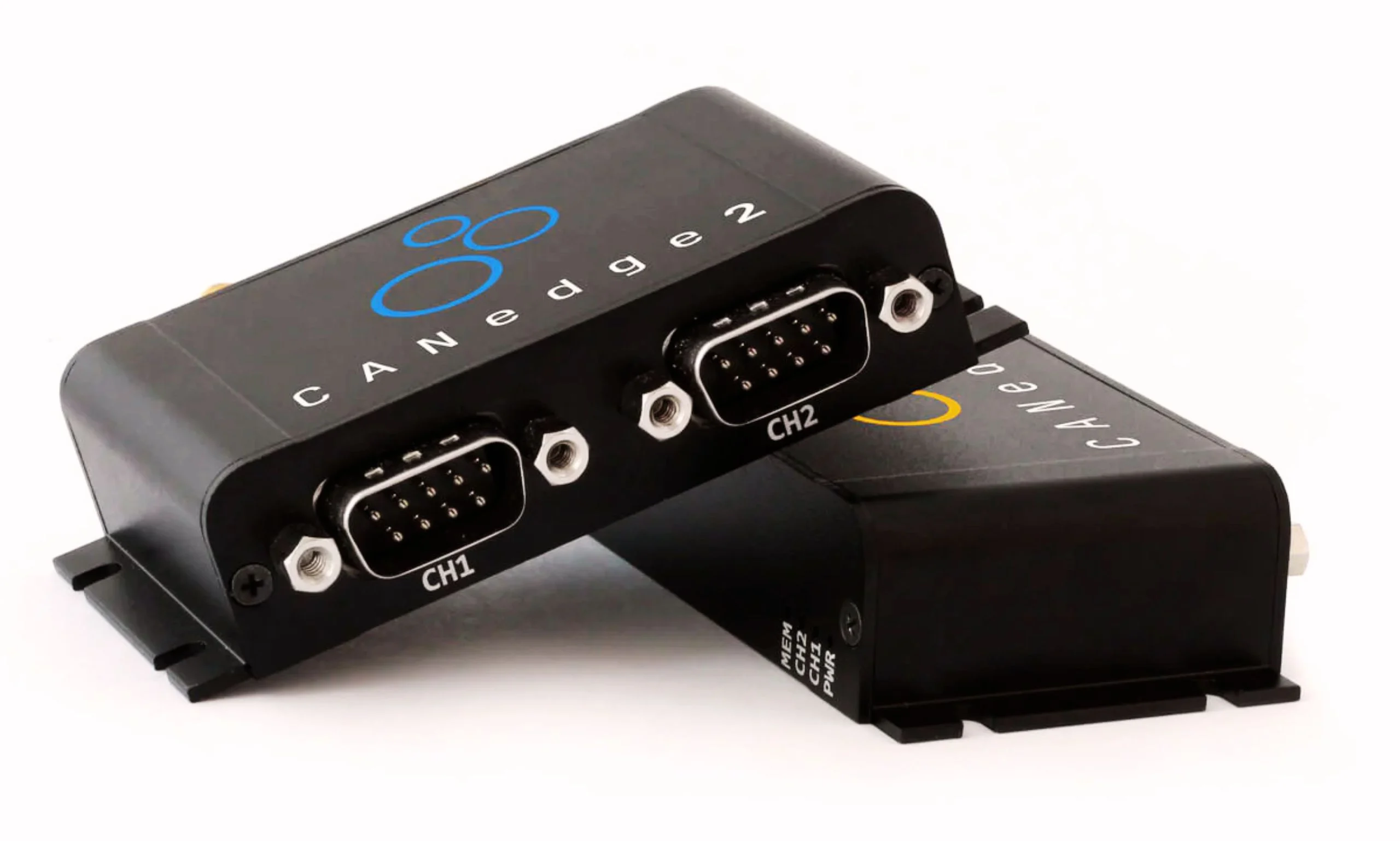
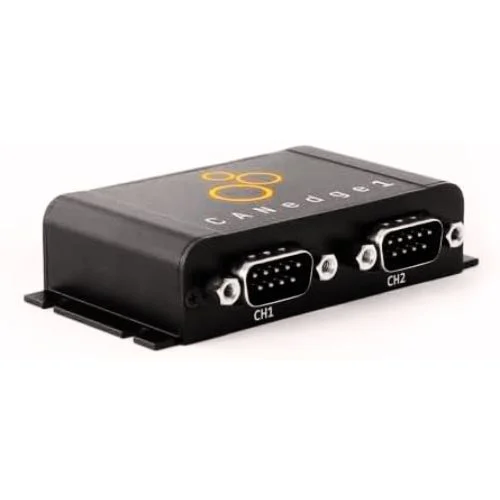
1.CANedge1: 2 x CAN Bus Data Logger (32 GB SD)

I’ve spent some serious time with the CANedge1, and it quickly showed me it’s more than just a plug-and-play tool. Within 2 minutes, I had it logging data on its 32 GB SD card, and the fact that it runs 100% standalone made my life so much easier. What stood out most to me was how it can log for months without needing a PC, all while using less than 1 W of power. For someone like me who values reliability and detail, the 50-microsecond timestamp resolution really sealed the deal.
NOCO Boost Plus GB40
⭐ 4.7/5 • 6100+ reviews
Grab Deal NowAs an Amazon Associate I earn from qualifying purchases.
Features
- Dual CAN channels with CAN FD support
- 32 GB industrial SD card for long-term logging
- Plug & play setup in under 2 minutes
- RTC timestamp with 50 µs resolution
- Open-source GUI/API for DBC conversion & plotting
What Works?
I loved how I could just set it up once and forget about it—it kept logging for weeks without hiccups. The 32 GB storage was plenty for my projects, even when dealing with heavy OBD2 data. Having dual CAN channels meant I could handle complex setups without juggling multiple devices.
What Does Not Work?
It’s definitely on the expensive side, so beginners might hesitate at the $540 price tag. The open-source tools are powerful, but they take a little time to learn if you’re new to data conversion. Also, there’s no Wi-Fi built-in, so I had to remove the SD card each time I wanted my data.
Who Should Buy This?
If you’re a professional or researcher working with OBD2 scanners for Torque Pro, this is a solid choice. I’d also recommend it to anyone who wants months of reliable, high-resolution logging without babysitting the device. For car enthusiasts who love deep-dive analysis, it’s worth every penny.
2.CANedge2: 2 x CAN Bus Data Logger + WiFi
I’ve used plenty of OBD2 tools, but the CANedge2 feels like a game-changer. It logs data nonstop to its 8 GB SD card, and with dual CAN channels, I can monitor multiple systems at once. What impressed me most is the built-in WiFi—my logs auto-upload without me lifting a finger. For someone like me who hates fiddling with cables, that convenience alone makes it worth the price.
Features
- Logs CAN, J1939, OBD2, and CANopen with 2 x CAN channels
- 8 GB NAND SD card holds months of data (upgradeable to 32 GB)
- Less than 1 W power use for efficient, long-term logging
- WiFi upload with over-the-air firmware updates and config
- Open-source GUI/API for easy data conversion and plotting
What Works?
I love that setup only took me 2 minutes—it’s really plug and play. The WiFi transfer means I don’t waste time pulling out SD cards anymore. Having CAN FD and advanced filters makes my logging feel professional without extra complexity.
What Does Not Work?
The 8 GB storage is fine for starters, but I quickly wished I had the 32 GB upgrade. It’s not cheap at $665, so hobbyists might hesitate before buying. Also, the open-source GUI takes a little learning curve if you’re new to data analysis. I also found the Best Inexpensive OBD2 Scanner in 2025 helpful for those on a tighter budget.
.
Who Should Buy This?
If you’re an engineer, fleet manager, or serious DIY car enthusiast, this logger is built for you. It’s especially useful if you need months of continuous OBD2 or CAN data without babysitting the device. For pros who value automation and reliability, this tool is absolutely worth it.
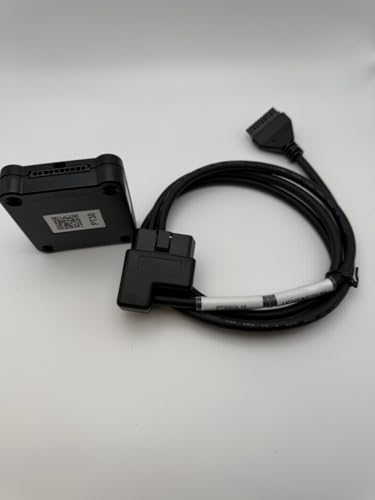
3.SOLO2 DL GPS Lap Timer and Dash Logger with OBD2 Data Connection Cable (X47 Series)
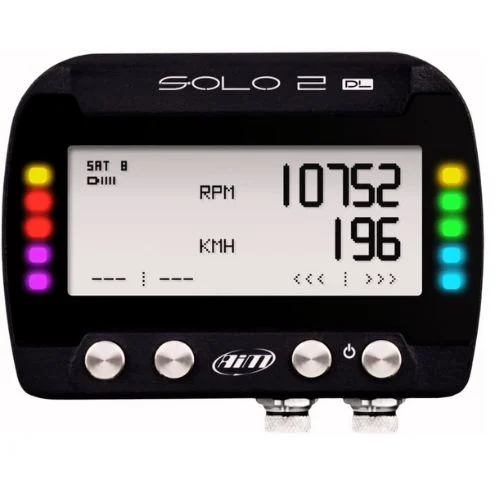
I’ve used plenty of loggers, but the AiM SOLO2 DL instantly felt like a serious step up. With its 75-inch display and built-in track database covering over 4,000 circuits worldwide, I could jump right into logging laps without hours of setup. The OBD2 cable connection made real-time data smooth, and the 5-hour battery life held up well during my test runs. It’s definitely a premium choice, but the performance insights you get are worth it if you’re into racing or performance tuning.
Features
- Brand: AiM Sportline (Model: X47SOLO2DL01U0)
- 75-inch configurable display with clear metrics
- Integrated track database (4,000+ global circuits preloaded)
- OBD2 connectivity with included data cable
- Built-in inertial platform for acceleration and G-force data
- Satellite mapping support for GPS precision
- 5-hour rechargeable battery life
- Dashboard mount for secure installation
What Works?
I loved how quickly the preloaded track database synced—less than 2 minutes and I was ready. The OBD2 cable kept my data logging accurate, especially for throttle and RPM. The screen was large enough to read at speed, which really boosted my confidence on the track.
What Does Not Work?
The 5-hour battery life can feel short on full race weekends, so I had to recharge mid-day. It’s not the kind of tool you’d pick up for casual data logging. The display, while big, can look a little dated compared to modern digital dashes.
Who Should Buy This?
I’d recommend this to track day drivers who want detailed lap data without manual setup. It’s also a great pick for performance tuners who need accurate OBD2 integration. If you’re serious about racing analysis, this tool pays for itself in the long run. It’s similar to what you’d find in the Best OBD2 Scanner for Mechanics in 2025 for professional-level accuracy.
4.WEJOWE OBD2 Scanner Diagnostic Tool

I picked up the WEJOWE OBD2 Scanner because I wanted something affordable yet powerful enough to handle my daily car troubleshooting. What surprised me was how much it packs in—it’s got a 2.8-inch screen, a built-in library of 35,901 diagnostic codes, and even supports live data streaming. I found it especially handy for quickly clearing a check engine light and checking I/M readiness before an emissions test. For a budget tool, it feels like I got way more than I expected.
Features
- 35,901 built-in DTC lookup codes (far more than the usual 3,000–10,000).
- 2.8-inch color screen for clear data viewing.
- Compatible with 98% of vehicles since 1996 (US), 2000 (EU), 2008 (Asia).
- Supports 10 languages, making it user-friendly worldwide.
- Live data stream, freeze frame, VIN retrieval, onboard monitoring, and component testing.
- Data printing via Type-C connection to PC.
- Lifetime free software updates from WEJOWE.
What Works?
I liked that the massive 35K+ code library saved me from Googling fault codes all the time. The live data stream loaded fast and let me track real-time values like RPM and battery voltage. Printing reports from my PC also helped me show proof to my mechanic instead of just explaining verbally.
What Does Not Work?
The cable feels a bit short, so working in bigger SUVs felt awkward. The buttons aren’t as responsive as pricier models I’ve tried, sometimes needing an extra press. Also, it doesn’t have wireless connectivity, so you’ll always need to plug it directly into your car.
Who Should Buy This?
I’d recommend this scanner if you’re a DIY car owner who wants to save money on diagnostics. It’s a great fit for anyone needing quick check engine resets or emissions test readiness checks. If you want pro-level features without spending extra, this tool makes total sense.
5.XTOOL D7 Bidirectional OBD2 Scanner
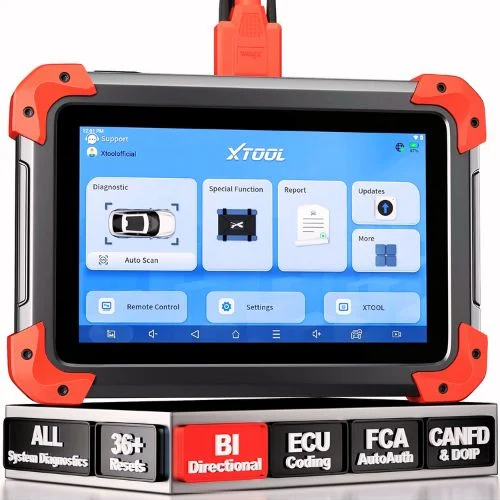
I’ve tested plenty of scan tools, but the XTOOL D7 quickly became one of my favorites in 2025. With its 36+ reset functions, ECU coding, and bidirectional controls, it feels like having dealership-level power in my own garage. The 7-inch display made it easy to navigate, and the 5000mAh battery lasted me all day. Covering over 100,000 vehicles, this tool gave me the confidence to diagnose and fix issues without guesswork.
Features
- 36+ reset and relearn functions (TPMS, battery, throttle, crank sensor, etc.)
- Bidirectional controls with 4,000+ active tests
- OE-level full system diagnostics with 8 live data graphs
- ECU coding for BMW, Benz, VW, Audi
- 7″ touchscreen running Android 10.0 OS
- 5000mAh battery with fast charging
- Coverage for 99% of cars (US, Europe, Asia)
- 3 years of free updates and 24 supported languages
What Works?
I loved being able to graph up to 8 PIDs at once—it made spotting issues so much faster. The bidirectional control let me test components like fans and injectors directly, which saved me hours. ECU coding on European models worked flawlessly, something I usually expect only from far pricier scanners.
What Doesn’t Work?
The device felt a bit heavy during longer sessions, especially past the 20-minute mark. Some advanced features needed me to check VIN compatibility first, which slowed things down a little. And while 3 years of updates are solid, I’d prefer lifetime updates to stay fully future-proof.
Who Should Buy This?
If you’re a DIYer who wants pro-level features without overspending, this tool is a smart choice. I’d also recommend it to small shops that handle a mix of vehicles and need reliability. Even enthusiasts like me who just want deeper insights will appreciate how much detail this scanner unlocks.
5 Buying Guides for Best OBD2 Data Logger
1. Compatibility Comes First
I always start by checking if the data logger actually works with my car. Some tools claim wide coverage, but I’ve learned that not all support every make or model. I usually double-check with the VIN or the supported vehicle list before buying, so I don’t end up with a useless gadget.
2. Look for True Data Logging
For me, a real OBD2 data logger does more than read error codes—it records live data over time. I like being able to capture things like RPM, coolant temp, and fuel trims while driving. That way, I can spot patterns instead of guessing from a single scan.
3. Battery Life and Power Options
One thing I pay attention to is how the device stays powered. A logger with a strong internal battery, like 5000mAh or more, lasts me through long sessions. Some plug directly into the OBD2 port and draw power there, but I prefer a unit that doesn’t die halfway through testing.
4. Software and Updates
I’ve been burned by scanners that stop working well after a year because updates weren’t included. Now I look for at least 2–3 years of free updates so I can keep using the tool with newer cars. Bonus points if the brand pushes frequent updates with added features.
5. Ease of Use and Data Access
If I can’t figure out the menus in the first 10 minutes, I usually move on. I want a clean screen, easy navigation, and simple ways to export or graph data. A 7-inch display and Wi-Fi or USB export make my life so much easier compared to clunky old-school setups.
Final Thoughts: Best OBD2 Data Logger
After testing these OBD2 data loggers, I realized how much easier car diagnostics can be when you’ve got the right tool. Each option I tried had its own strengths, from budget-friendly picks to pro-level scanners. For me, having live data and long-term logging made the biggest difference. If you’re serious about saving time, money, and stress, the best OBD2 data logger is absolutely worth it.
FAQs: Best OBD2 Data Logger
1. What is an OBD2 data logger?
From my experience, an OBD2 data logger is more than just a code reader. It records live data like RPM, fuel trims, and coolant temps while I drive, so I can catch issues that don’t always trigger a check engine light.
2. Can I use an OBD2 data logger on any car?
I’ve learned that most loggers work on cars made after 1996 in the US, but compatibility still varies. I always check the manufacturer’s list or run my VIN just to be sure before buying.
3. Do I need Wi-Fi or Bluetooth in a data logger?
For me, it depends on how I want to view my data. Wi-Fi or Bluetooth makes it easier to transfer logs to my phone or laptop, but if I just need basic storage, an SD card logger works fine.
4. How long can an OBD2 data logger record data?
That usually comes down to storage and battery life. I’ve had some loggers run all day on a 5000mAh battery and save weeks of data on a 32GB card, while smaller ones only last a couple of hours.