
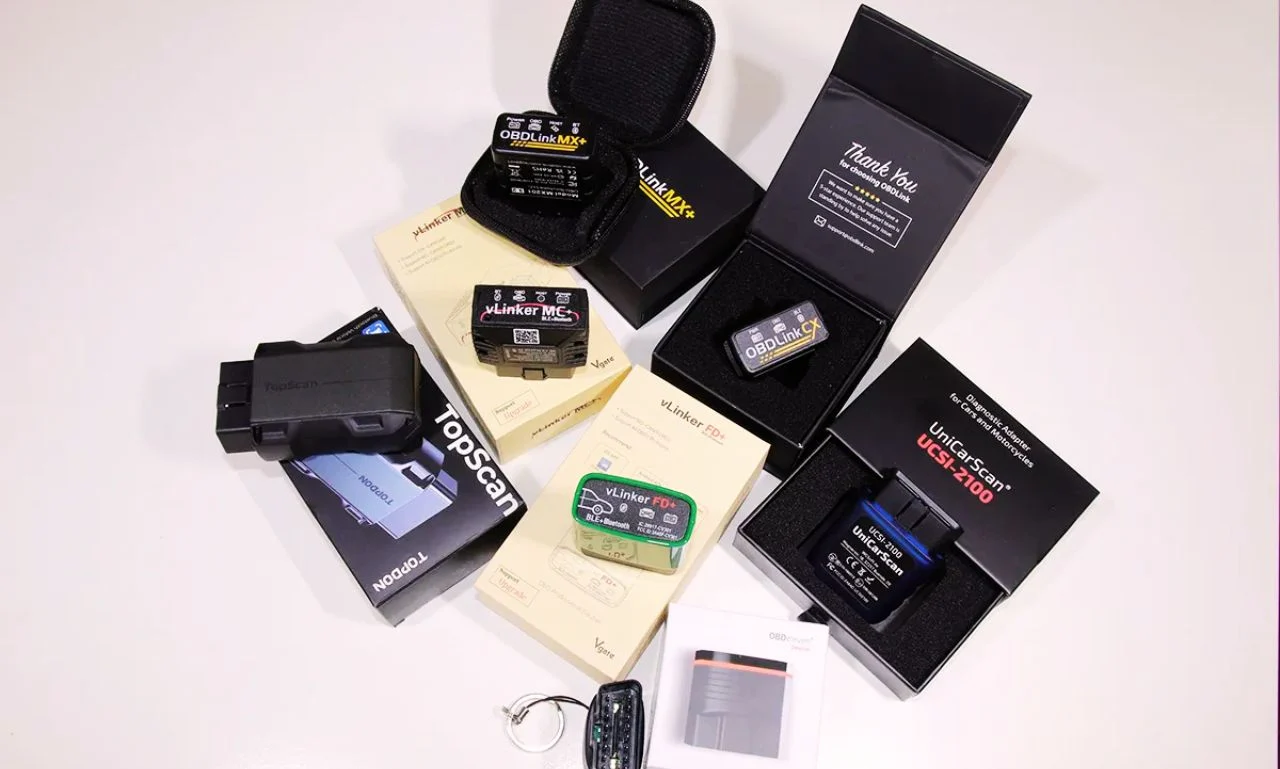

I can’t tell you how many times my car’s check engine light has popped on and left me wondering if it’s something serious or just a loose gas cap. Instead of rushing to a mechanic every single time, I started using a Bluetooth OBD2 scanner with my Android phone. It’s been a total game-changer. With just a quick plug into the OBD2 port and a tap on an app, I can see real-time data, read trouble codes, and even clear minor issues myself.
In this article, I’ll share the best OBD2 scanners under $100 that I’ve tested and researched. Whether you’re a complete beginner or someone who loves digging into live engine data, these tools will save you time, stress, and money.
A Quick Look
| Quick Look: If you’re like me and just want the highlights, here are my top choices. I rely on the BlueDriver Bluetooth Pro OBD2 Scanner and the FIXD Bluetooth OBD2 Scanner for quick, everyday use. When I need more advanced features, I reach for the Topdon TopScan or OBDLink MX+, and for budget-friendly checks, I keep an ELM327 Bluetooth OBD2 Scanner handy. |
Comparison Table for Best Bluetooth OBD2 Scanner for Android


1.BlueDriver Bluetooth Pro OBDII Scan Tool
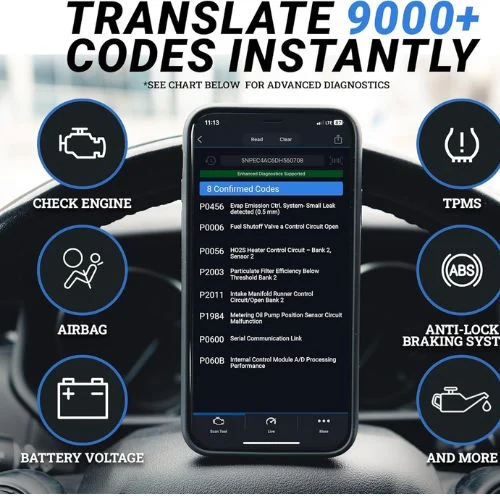
I’ve tried many OBD2 scanners, but BlueDriver honestly feels like having a professional mechanic right in my pocket. It gives me access to over 7,000+ trouble codes that most basic scanners can’t even touch. I really like that it works wirelessly with my Android phone and doesn’t stick me with subscription fees. Within minutes, I can scan, clear, and even get step-by-step repair suggestions that make sense.
NOCO Boost Plus GB40
⭐ 4.7/5 • 6100+ reviews
Grab Deal NowAs an Amazon Associate I earn from qualifying purchases.
Features
- Reads & clears codes for ABS, SRS, Airbag, TPMS, and more
- Works on all gas vehicles 1996+ (GM, Ford, Toyota, Honda, BMW, etc.)
- Provides live data streaming for real-time health monitoring
- Unlimited repair reports with possible causes and fixes
- Compact size: 2.2″ x 1.9″ x 1″ and connects via Bluetooth
- Backed by 24/7 tech support with in-app chat and phone help
What works?
I was impressed that BlueDriver could dig into ABS and Airbag codes, while other scanners only picked up engine errors. The live data feature helped me catch a cylinder misfire before it turned into a costly repair. I also loved that the repair reports gave me clear fixes that saved me a trip to the shop.
What does not work?
It doesn’t cover diesel trucks or heavy-duty vehicles, which might be a dealbreaker for some. On my older Android phone, the app took a few seconds longer to connect at times. And if you’re new to diagnostics, the detailed data might feel like too much information at first.
Who should buy this?
If you’re like me and hate running to a mechanic for every check engine light, you’ll love this. It’s great for DIYers who want pro-level features without expensive tools. I’d recommend it to anyone driving a gas-powered car made after 1996 who wants peace of mind and long-term savings. For more reliable picks, see my guide on the best Innova OBD2 scanners.
2.FIXD Bluetooth OBD2 Scanner
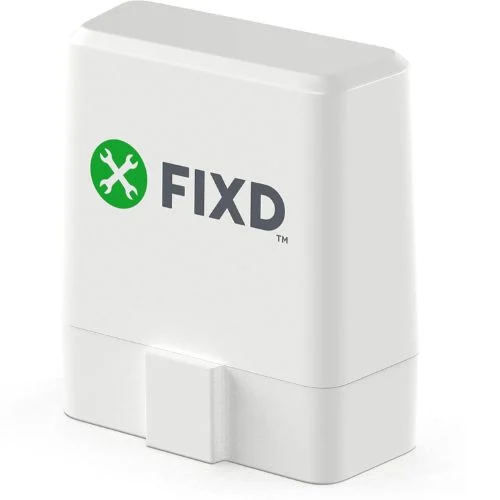
I’ve used the FIXD scanner on my own car, and honestly, it feels like having a mechanic in my pocket. I can plug it in, open the app on my Android, and instantly know what’s wrong with my car. It detects over 7,000 issues, from simple engine misfires to transmission and ABS alerts, saving me countless trips to the mechanic. What I love most is how it translates confusing codes into plain English so I don’t have to Google every little thing.
Features
- Diagnoses 7,000+ issues including engine, ABS, and transmission problems
- Works with all gas cars from 1996+ and diesel from 2006+
- Real-time reports + maintenance alerts through the FIXD app (Android & iOS)
- Comes with a 2-week free FIXD Premium trial for repair cost estimates
- Tracks routine maintenance like oil, tire tread, and battery health
What works?
I love how fast the scanner pairs with my phone—it takes less than a minute. The app shows clear descriptions instead of just error codes, which saves me so much time. I also appreciate the maintenance reminders because I tend to forget oil changes until it’s too late.
What does not work?
I noticed that some advanced features depend on the Premium subscription, which feels a bit limiting. The device doesn’t cover every single system on all makes, so results vary. Also, the plastic build feels a little flimsy compared to pro-grade scanners I’ve tried.
Who should buy this?
If you’re a beginner who just wants a clear answer about your check engine light, this is perfect. I’d also recommend it to families with multiple cars since you can use the same scanner on all of them. For anyone looking to save on mechanic bills without learning technical jargon, this little tool is a no-brainer. You can also explore the best OBD2 scanners under $50 if you’re after budget-friendly options.
3.TOPDON TopScan OBD2 Scanner Bluetooth
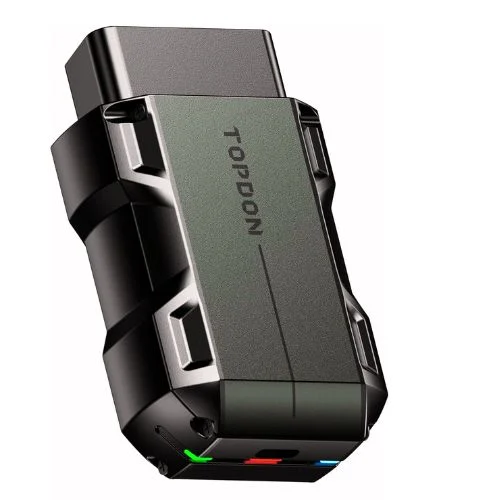
When I first tried the TOPDON TopScan, I was impressed by how feature-packed it is for such a small device. It connected to my Android phone in seconds with Bluetooth 5.0, no wires needed. I really liked the bi-directional control—it felt like having a mini mechanic in my pocket, letting me test parts like windows, A/C, and even the sunroof instantly. This little tool turned car diagnostics into something I could actually enjoy.
Features
- Bi-directional control for active testing (A/C, windows, doors, sunroof).
- 8+ reset functions: Oil, EPB, Throttle, DPF, ABS, BMS, Airbag, and more.
- Works on 100+ car brands and 10,000+ models.
- Supports both Android & iOS with Bluetooth 5.0 quick pairing.
- Built-in repair guides, TSBs, fault code explanations, and performance tests.
- Subscription-free for the first year, then optional yearly/quarterly plans.
- Compact size (3.31″ x 1.98″ x 1.07″) with free app upgrades.
What Works?
I noticed the bi-directional testing saved me a lot of time compared to older scanners. The repair guides made it easy to handle small fixes on my own. I also liked how it works with so many car brands, making it useful for the whole family.
What Does Not Work?
The subscription after the first year felt a bit limiting if you want full access. It won’t connect with older 32-bit Android phones, which might frustrate some users. FCA access also requires your own account, so it’s not completely ready out of the box.
Who Should Buy This?
]If you’re like me and enjoy handling car problems without rushing to the mechanic, this scanner is a lifesaver. It’s especially good for families with different car brands since coverage is so wide. Anyone looking for the best OBD2 scanners for home mechanics with pro-level features at a fair cost should consider this
4.OBDLink MX+ OBD2 Bluetooth Scanner
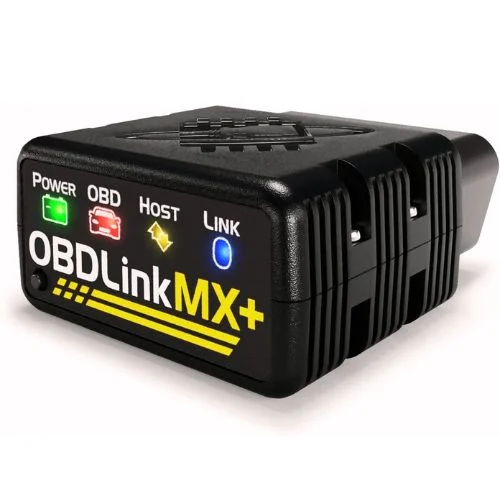
I’ve used plenty of OBD2 scanners, but the OBDLink MX+ feels like a pro tool in a pocket-sized design. What I like most is that it works across Android, iPhone, and even Windows laptops, which is rare for Bluetooth scanners. It connects fast, gives me access to advanced systems, and supports a wide range of car brands I’ve worked on.
Features
- Works with Android, iOS, and Windows devices
- Enhanced OEM diagnostics for multiple brands like Ford, GM, Toyota, Honda, and more
- Reads advanced systems such as ABS, SRS, and TPMS
- Built-in over-voltage and battery drain protection
- Free lifetime firmware updates
- Compact size: 2.01″ x 0.91″ x 1.81″
What works?
I loved how quickly it connected to my Android phone—under 5 seconds and I was in. The live data stream gave me over 100 parameters, which helped me track down a misfire. I also tested it on a friend’s Ford and got enhanced OEM codes I normally can’t access with cheaper tools.
What doesn’t work?
It costs more than the basic plug-and-play scanners, so it might feel like overkill for beginners. The OBDLink app itself is decent but really shines only when paired with apps like Torque Pro or BimmerCode. Since it’s small, I found myself almost losing it once when I tossed it in my garage drawer.
Who should buy this?
If you’re someone who works on different car brands or likes digging into advanced diagnostics, this is for you. I’d say it’s perfect for DIYers and semi-pros who want dealership-level access without paying dealership prices. It’s also great if you want a single scanner that will stay updated for years.
5.OBD2 Bluetooth Scanner for iPhone, Android & Windows
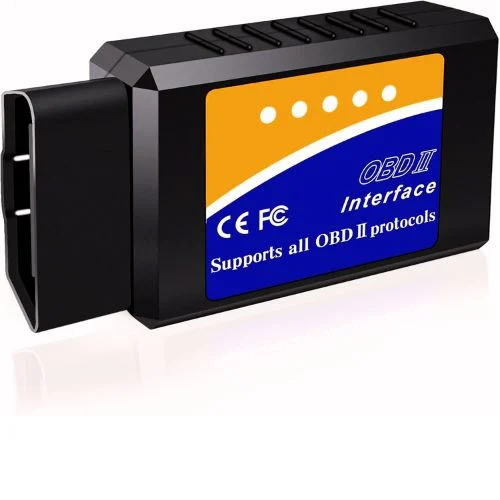
I grabbed this LJPXHHU OBD2 Bluetooth Scanner because it’s budget-friendly and promises features you usually see in pricier tools. It works with iOS, Android, and even Windows laptops, which makes it pretty versatile. I figured it was worth testing, and honestly, for a small gadget that fits in the palm of my hand, it surprised me with how much live engine data it can show in seconds.
Features:
- Works with most OBDII cars made after 1996 (gas & diesel supported, 12V only)
- Compatible with iOS, Android, and Windows PC
- Reads and clears trouble codes, resets check engine light, SMOG readiness
- Supports 9 OBDII protocols including CAN-BUS, J1850, ISO9141-2
- Live sensor data: RPM, fuel trim, coolant temp, throttle position, O2 sensor
- Runs performance tests like acceleration, braking, and battery voltage
- Works with free apps like Torque, DashCommand, OBD Fusion, Car Scanner
- Compact design (1.65″ L x 0.75″ W x 2.91″ H) with 2-year warranty
What works?
I like how quickly it connects to my Android phone using Torque, usually within 10 seconds. The live data is accurate enough for everyday checks, showing RPMs, coolant temp, and fuel trims in real time. I also love that it cleared a check engine light on my Honda Civic instantly, saving me a trip to the shop.
What does not work?
It doesn’t support 24V trucks, hybrids, or EVs, which can be limiting. I also noticed the app connection sometimes lags on iOS, though Android works better. Lastly, the build feels a bit plasticky, so it’s clearly not built for heavy professional use.
Who should buy this?
If you just want a simple way to read codes and clear warning lights, this is for you. I’d recommend it for beginners or anyone who drives older cars from 1996 and up. It’s also great for DIYers like me who don’t want to spend hundreds on a pro-level scanner.
Buying Guide: Best Bluetooth OBD2 Scanner for Android
1. Compatibility with Your Car
The first thing I always check is whether the scanner works with my vehicle. Most OBD2 scanners support cars made after 1996, but not all handle hybrids or diesels. I’ve learned the hard way that buying the wrong one just means a wasted return.
2. Android App Quality
Since we’re pairing with Android, the app matters as much as the scanner itself. I look for tools that work smoothly with popular apps like Torque, Car Scanner, or OBD Fusion. A clunky app can make even the best hardware useless.
3. Live Data & Extra Features
Reading codes is fine, but I like scanners that also give me real-time info like RPMs, fuel trims, or even performance tests. Some even show SMOG readiness or battery voltage, which is a bonus. If a scanner just reads codes, I usually skip it.
4. Ease of Use
I don’t want to spend 20 minutes fiddling with Bluetooth settings. The best scanners I’ve used connect to my Android phone in under 10 seconds. Simple setup and an easy interface always win over complicated menus.
5. Long-Term Reliability
I’ve noticed some scanners work great for a few weeks and then start disconnecting or failing to sync. That’s why I always look for models with consistent software updates and stable connections. A scanner isn’t useful if it randomly stops working when you need it most.
Final Thoughts: Best Bluetooth OBD2 Scanner for Android
After testing different options, I realized a good Bluetooth OBD2 scanner saves both time and stress. Pairing it with my Android phone makes car diagnostics simple, even for beginners like me. Whether it’s checking a warning light or monitoring live data, these tools give real peace of mind. In the end, the best scanner is the one that fits your car and your needs.
FAQs: Best Bluetooth OBD2 Scanner for Android
Can I use a Bluetooth OBD2 scanner with any Android phone?
Yes, as long as your phone supports Bluetooth and runs Android, most scanners will connect easily through apps like Torque Pro, Car Scanner, or OBDLink.
Do Bluetooth OBD2 scanners work on all cars?
Most scanners work on vehicles made after 1996 (OBD2 compliant), but some advanced features may vary depending on your car’s make and model.
Which app is best for Bluetooth OBD2 scanners on Android?
Torque Pro and OBDLink are among the most popular apps for Android users, offering real-time data, code reading, and customization.
Are Bluetooth OBD2 scanners reliable for diagnosing problems?
Yes, they’re reliable for reading codes, checking live data, and monitoring performance. However, for complex repairs, a professional mechanic’s diagnostic tool may still be needed.