


Every holiday season, one of the questions I always get asked is, “How do I make Christmas lights blink?” When I first started decorating, I also wanted to make my lights blink, but I had no idea how.
I quickly realized that there are a few easy and creative ways to get your Christmas lights to flash and twinkle, adding that extra bit of magic to your display.
A Quick Look
In this guide, I’ll walk you through simple methods, from using a blinking bulb to more advanced techniques like music-activated lights. Whether you’re looking for something basic or want to get fancy with special effects, I’ve got you covered.
NOCO Boost Plus GB40
⭐ 4.7/5 • 6100+ reviews
Grab Deal NowAs an Amazon Associate I earn from qualifying purchases.
Quick Fix
To make Christmas lights blink, you can easily swap out a regular bulb for a red-tipped flasher bulb, which is often included with light sets. This creates a simple blinking effect on traditional incandescent lights.
For LED lights, use a plug-in controller or smart plug to program blinking patterns without replacing bulbs. If you’re looking for advanced effects, music-activated lights and remote-controlled lights offer customizable blinking options synced with music or controlled by your smartphone.
How do I make Christmas lights blink| Blinking Bulb
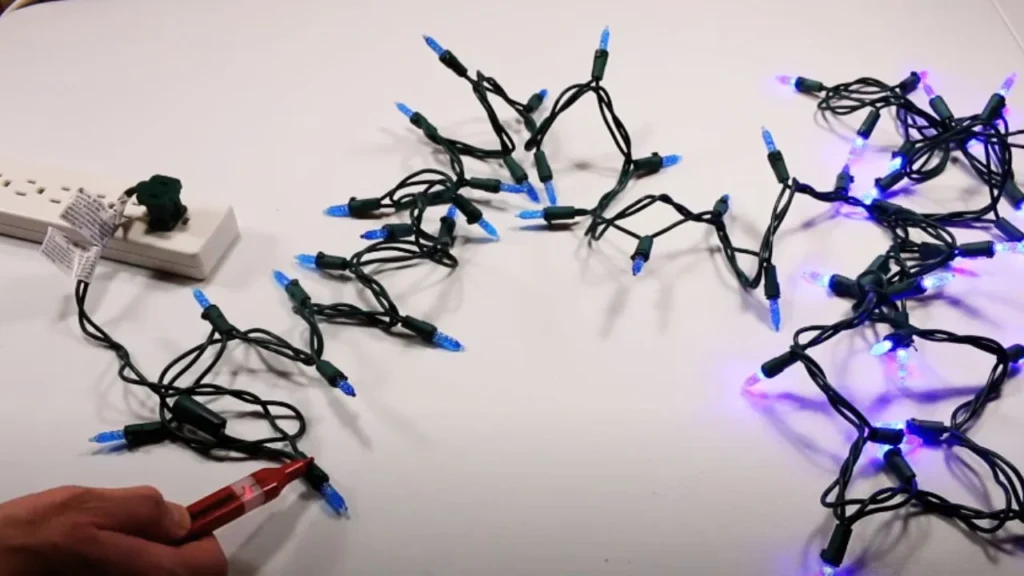
The quickest and easiest way to make Christmas lights blink is to swap out one regular bulb for a blinking bulb, sometimes known as a red-tipped flasher bulb. This method works for traditional string lights that you likely already have at home.
What You’ll Need:
- A string of Christmas lights (standard incandescent or LED lights)
- A red-tipped flasher bulb (often included with light sets)
- Gloves for safety
Steps:
- Unplug your lights from the power source.
- Put on gloves to protect your hands in case a bulb shatters.
- Choose any bulb in the string, ideally one toward the end for a more even blinking effect.
- Remove the regular bulb by gripping it at the base and pulling gently. Be careful not to squeeze too hard to avoid breaking it.
- Insert the red-tipped flasher bulb into the empty socket. No need to use excessive force.
- Plug the string back in and watch as your lights start blinking!
This method is great for a subtle twinkling effect across your light string. I used it on my tree last year, and it added a nice festive touch without much hassle.
How Do Timers Make Christmas Lights Blink?
Using a timer is another way to control when your Christmas lights turn on and off. While timers won’t make your lights blink on their own, they’re useful for energy conservation and controlling lighting patterns.
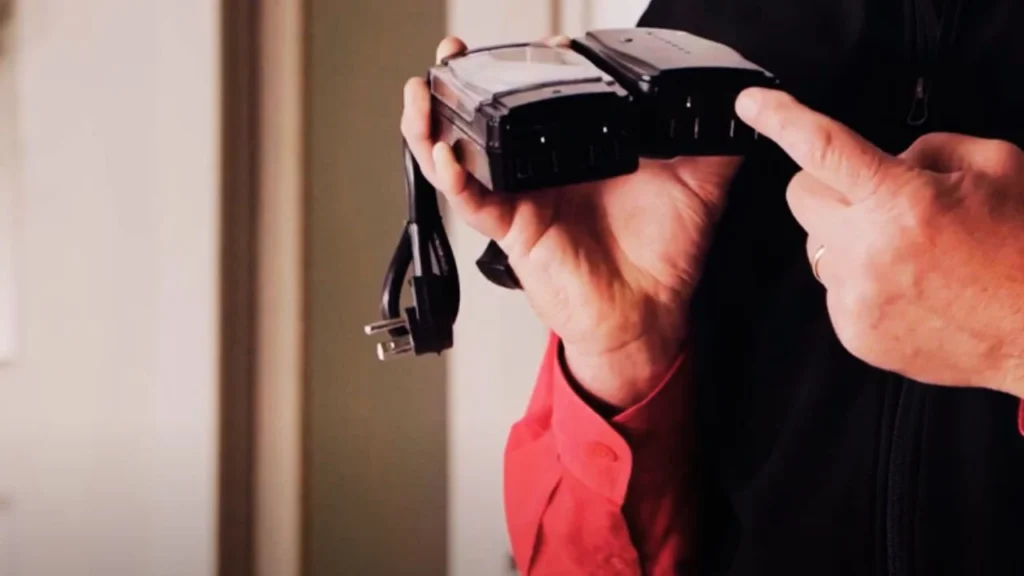
There are two main types of timers you can use: mechanical and digital.
1. Mechanical Timers
Mechanical timers work by rotating through a spring-loaded mechanism. They are easy to set up and don’t require any complicated programming.
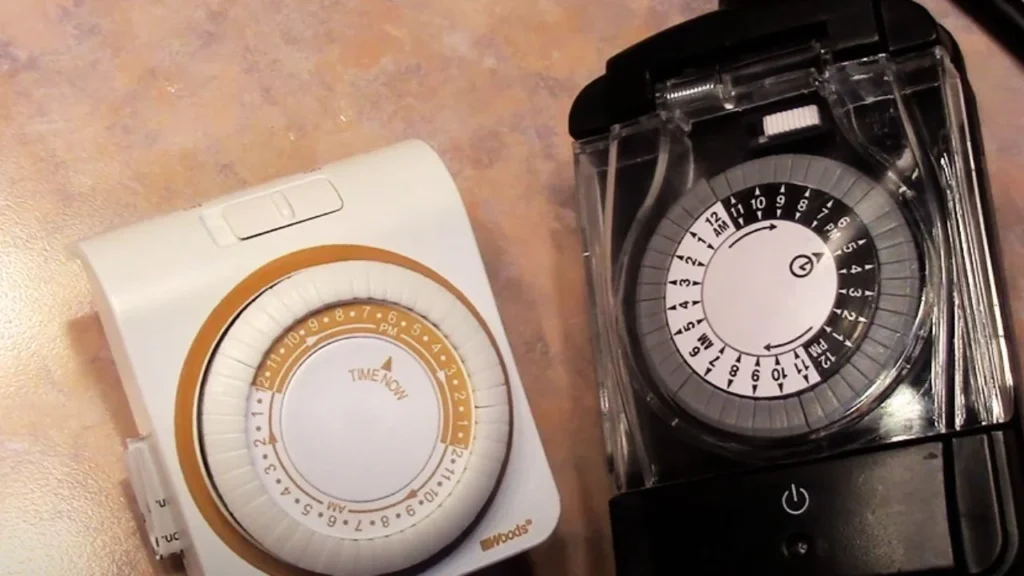
- Setup: Just plug the timer into an outlet, plug your lights into the timer, and set it to turn on and off at regular intervals.
- Intervals: You can usually set the timer anywhere from 1 minute to 60 minutes.
When I used a mechanical timer, I found it to be super helpful for managing my outdoor lights. I didn’t need to worry about turning them off every night.
2. Digital Timers
Digital timers offer more advanced features, including the ability to program blinking patterns. These timers are a bit more expensive but worth it if you want more control.
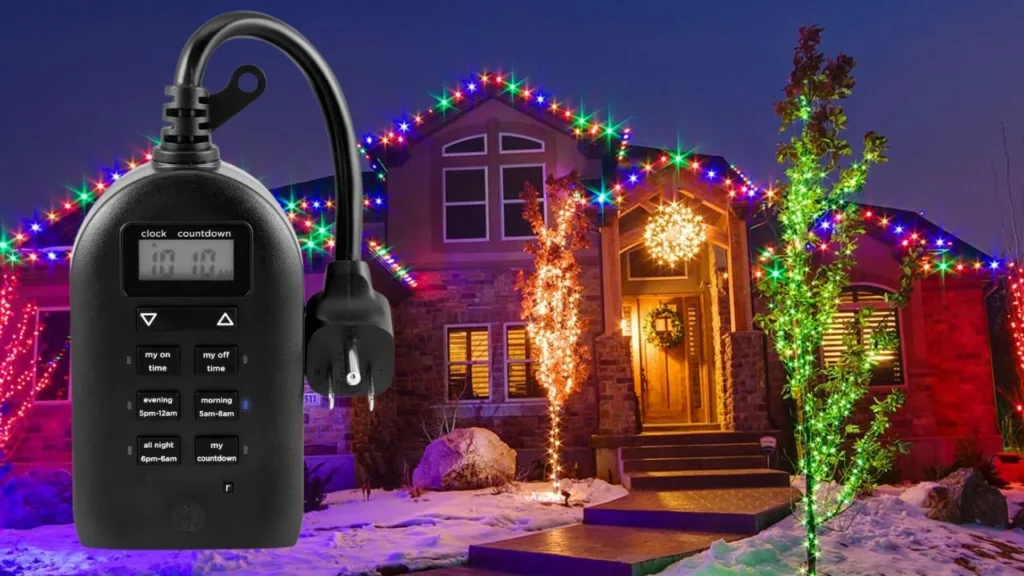
- Features: You can set specific times for lights to turn on and off and even customize blinking patterns.
- Cost: Prices for digital timers start around $15-30, depending on the brand and features.
If you want your lights to blink in a more organized pattern, a digital timer is a great option. I’ve found this works especially well with my indoor light setup because I can easily customize it from the comfort of my living room.
3. Smart Plugs
Smart plugs have become popular for controlling all types of appliances, and LED Christmas lights are no exception. These plugs can be controlled through a smartphone app, allowing you to turn your lights on and off or create blinking patterns from anywhere.
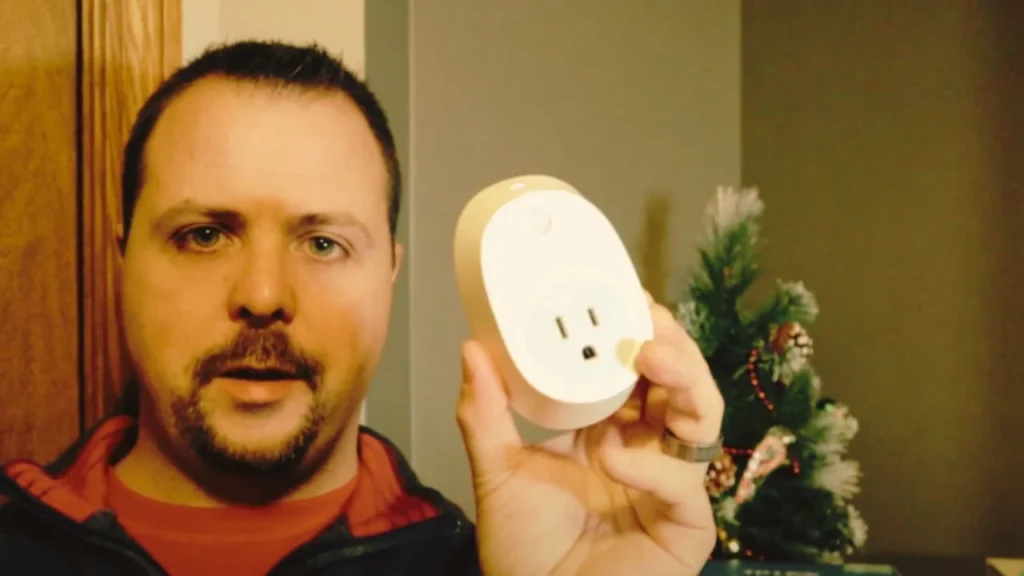
- Control via App: Plug your Christmas lights into a smart plug, then connect the plug to your Wi-Fi. Using a companion app, you can schedule the lights to blink, turn on and off, or even sync with other smart devices.
- Custom Blinking Schedules: The app allows you to set custom schedules. For example, you can program the lights to blink for 5 seconds and turn off for 2 seconds, and then repeat the pattern.
Features
- Remote Control: You can control your lights from anywhere, even when you’re not at home. I find this really handy when I’m out and realize I forgot to adjust my light display.
- Voice Control: If you have smart home devices like Google Home or Alexa, you can control the blinking of your lights with simple voice commands.
- Custom Patterns: Many smart plugs offer options to create custom patterns, adding an extra layer of creativity to your Christmas decorations.
Cost: A decent smart plug can cost anywhere from $10 to $25, and it can be used year-round for other appliances as well.
I started using smart plugs last year, and it was a game-changer. I could control the blinking pattern of my outdoor lights from my phone, and it added a sleek, modern twist to my decorations.


Adding Fun: Music-Activated Christmas Lights
For those who want to take their decorations to the next level, music-activated lights are an exciting option. These lights blink and change color to the beat of whatever music you’re playing. It’s a crowd-pleaser, especially during holiday parties!
How They Work:
- Built-in Microphone: These lights come with an internal microphone that picks up the music. The lights then blink in sync with the rhythm of the song.
- Setup: Just plug the lights in and turn on your favorite Christmas playlist. Whether you’re using a stereo or your smartphone, the lights will react to the music.
I used music-activated lights at a family holiday party, and it was a hit. We played Christmas carols, and the lights flashed perfectly in time with the music. You can find these lights at most stores that sell holiday decorations, and they cost around $30-50 for a decent set.
Special Effects: Going Beyond Simple Blinking
If you’re a DIY enthusiast or just love pushing the limits, you can create special effects with your Christmas lights. You can use relays, controllers, or even computer software to get your lights to blink, chase, or flicker in more advanced patterns.
Using a Relay for Blinking Lights:
A relay acts as a switch that rapidly turns your lights on and off. By connecting a relay to your light set, you can create a custom blinking pattern.
- How It Works: The relay connects to the power supply and controls when the lights receive power, making them blink.
- Cost: Relays are relatively cheap, around $10-20, but you may need some basic electrical skills to set them up.
I’ve tried using a relay to make my outdoor lights blink in a chase pattern. It took some time to set up, but the effect was worth it.
Advanced Effects with Controllers:
If you want to go all out, you can purchase controllers that let you program light shows with multiple strands of lights. These controllers can be pricey—starting around $50 and going up from there—but they offer a wide range of effects, from slow fades to complex chase patterns.
For anyone who loves a challenge, setting up a full light show is a fun project. Last year, I used a controller to make my roof lights chase one another in a wave pattern. It was a big hit in the neighborhood!
Troubleshooting: What If My Lights Aren’t Blinking?
If your lights aren’t blinking, don’t worry! I’ve run into this troubleshoot a few times myself, and it’s usually an easy fix.
Common Issues and Fixes:
- Burned-out bulbs: Check to see if any of the bulbs are burned out. Replace any bad bulbs and see if the blinking resumes.
- Loose connections: Make sure all the bulbs are securely connected to their sockets. A loose bulb can prevent the whole string from blinking.
- Wrong type of lights: Ensure you’re using lights that support blinking features, like those that come with a red-tipped flasher bulb or are designed for music activation.
How to Make Christmas Lights Blink with a Remote
Remote-controlled Landscape Christmas lights offer another convenient way to control your blinking patterns. These lights come with a remote that allows you to switch between various lighting modes.
How to Use Remote-Controlled Lights:
- Plug in the lights, and use the remote to select different effects, including blinking or flashing.
- Some models offer up to 12-16 different patterns, so you can get creative with your display.
Last year, I set up remote-controlled lights on my front porch. It was great being able to change the blinking pattern without going outside in the cold. Prices for these lights vary, but you can find a decent set for around $40-60.
Conclusion
Now that you know how do I make Christmas lights blink, it’s easier than ever to add that extra sparkle to your holiday decor. Whether you’re using a simple flasher bulb, a digital timer, or advanced music-activated lights, there’s an option for every skill level and budget.
From my own experience, I found that a combination of blinking bulbs and timers works best for creating a fun, twinkling effect on my tree. For larger displays, I love using music-activated lights to wow guests. Whatever method you choose, just be sure to check your lights for any issues and enjoy the festive glow!
FAQ’s
1. Can I make any Christmas lights blink?
Not all Christmas lights are designed to blink. For standard incandescent lights, you can use a red-tipped flasher bulb to create a blinking effect. Some LED lights come with built-in blinking modes, but if not, you can use a controller or smart plug to make them blink.
2. How do I make my Christmas lights blink without replacing bulbs?
You can use a plug-in controller, smart plug, or digital timer to create blinking effects without replacing any bulbs. These devices control the power flow to the lights, creating a blinking pattern.
3. Can I make LED Christmas lights blink?
Yes, but it depends on the type of LED lights you have. Some LED lights come with pre-programmed blinking patterns, while others may require a controller or smart plug to create a blinking effect.